Skip to content
View in the app

A better way to browse. Learn more.

Ultimate Subaru Message Board

A full-screen app on your home screen with push notifications, badges and more.

To install this app on iOS and iPadOS
  1. Tap the Share icon in Safari
  2. Scroll the menu and tap Add to Home Screen.
  3. Tap Add in the top-right corner.
To install this app on Android
  1. Tap the 3-dot menu (⋮) in the top-right corner of the browser.
  2. Tap Add to Home screen or Install app.
  3. Confirm by tapping Install.

Featured Replies

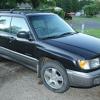
Hello, I just picked up a 1998 Forester. It's in pretty good condition, but has some issues to iron out. I was looking for info on the car and stumbled upon this forum. I will post about the issues later this evening, need to head out for the day. Looking forward to meeting some people in the group. Thanks.

post-67147-0-06670500-1497650059_thumb.png

post-67147-0-39268200-1497650068_thumb.png

Welcome to the USMB, My64bit.  Nice looking vehicle!  Post your questions in the Newer Gen Forum and I'm sure you'll get help.

Please sign in to comment

You will be able to leave a comment after signing in

Sign In Now

Account

Navigation

Search

Search

Configure browser push notifications

Chrome (Android)
  1. Tap the lock icon next to the address bar.
  2. Tap Permissions → Notifications.
  3. Adjust your preference.
Chrome (Desktop)
  1. Click the padlock icon in the address bar.
  2. Select Site settings.
  3. Find Notifications and adjust your preference.