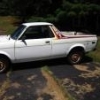
July 16, 20178 yr *Edit - I spelled Chevy wrong and cant seem to edit the topic title. yeesh I'm planning to put a 2" lift on my brat and have been looking for 15's I've read older Toyota ans Chevy rims are ideal. Found these but the seller is unsure of what year or even make they came off of. Has anyone ever seen this style of rim or could tell me if these are okay for hub conversions? Edited July 16, 20178 yr by NEPASubaru
July 16, 20178 yr Those look like old Centerline wheels. I'm running early 90s Nissan Pathfinder wheels on my GL wagon with 4" lift. Offset is just right to clear the fender lips.
July 16, 20178 yr Awesome, Do you think I'll be okay with 15's and a 2" lift? Depends on what year Brat & what tire size. Look at some of these then do a search for a Brat like yours with a 2" lift....... http://www.ultimatesubaru.org/forum/topic/113949-lift-and-tire-size-combo-pics/
July 16, 20178 yr Author Depends on what year Brat & what tire size. Look at some of these then do a search for a Brat like yours with a 2" lift....... http://www.ultimatesubaru.org/forum/topic/113949-lift-and-tire-size-combo-pics/ I have a 79. Lot of these pics aren't showing up. Expired in photobucket?
July 16, 20178 yr I have a 79. Lot of these pics aren't showing up. Expired in photobucket? You haven't seen the chaos Photobucket has caused in most auto forums yet? They've managed to piss off a nation of auto enthusiasts with their antics. Keep searching USMB - you'll find some pics & threads for a 79 Brat.
July 17, 20178 yr Author You haven't seen the chaos Photobucket has caused in most auto forums yet? They've managed to piss off a nation of auto enthusiasts with their antics. Keep searching USMB - you'll find some pics & threads for a 79 Brat. Ha, now that you point it out, yeah I have seen that. Okay, cool thanks

Please sign in to comment
You will be able to leave a comment after signing in
Sign In Now