October 23, 20178 yr My brother took the BRAT to a car show yesterday, it was a hit, to say the least! http://forestersg6.lansingautoenthusiast.com/2017/10/car-spotlight-1979-subaru-brat.html?m=1
October 24, 20178 yr Author Really Nice Brat... Thanks! It's far from perfect, but it is all original paint! It does need just a few little things, but it's a time capsule. The thing spent it's entire life in a garage in NH until I bought it 12 years ago. The previous owner kept every service record (including date and mileage) on the back of bank deposit slips.
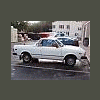
October 26, 20178 yr My current Brat.. Just recently added a rear bumper(not in pic).. Just need to get the tank cleaned. Lots of debris and causing stall outs..

Please sign in to comment
You will be able to leave a comment after signing in
Sign In Now