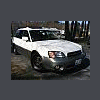
August 9, 200421 yr I just got a 2000 Legacy Outback Ltd. w/ 100k. Recently the engine light came on, and I had the boys at Autozone check the code. It came up as a 483 "Cooling Fan rationality Check Malfunction". The fans spin well when I idle it with the A/C on. I have kept my eye on the temp. guage and it is steady in the center(safe). What could it be wrong? The fans physically spin with A/C on, as well as when the temp is too high. The real question is: Should i put a yellow Smiley sticker over the light? Your help is appreciated. Thanks!
August 9, 200421 yr Cooling Fan Malfunction as stated in a Forester manual (should be the same), states, Engine Temp sensor HOT, ECU calls on Main Fan (and Sub fan if A/C is on) and 'picks' their relays. The engine temp sensor does NOT go below a set threshold within a specified time. (no idea here of temp or time given) Check to see that fans are running. (Fan motor or fuses) Maybe the Fan is sluggish (bad bearing) not giving enough air flow. Check to see that there are no obstructions causing air flow restrictions. That is to say, The cooling fans are NOT doing their job. The ECU monitors only the coil side of the relay. This must be how it monitors the fans themselves. Not much help, but maybe ensure there is air flowing thru the radiator and both fans are on with the A/C on.
August 9, 200421 yr Author yup....both fans run strong and at normal intervals(run all the time w/AC.)
January 12, 200521 yr Author Thanks for the advice everyone...turns out after a month the light went out by itself and has not come on since. My thoughts are a chipmunk was getting cozy in my fan, which the resistence to the spinning fan may have triggered the engine code. Those little critters don't even clean up their nuts after themselves...how rude! Smelling the winter acorns burning.... Wanton

Please sign in to comment
You will be able to leave a comment after signing in
Sign In Now