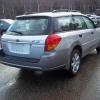
May 21, 200520 yr this is with the bottom molding off. this is with the molding on. am wondering whether or not to put it back on? maybe should of thought more but i got all gung-ho about it an didn't think.funny thing is that i got the back an sides removed an found out that on the front part,it's part of the bumper cover. ok guess not really funny in all it does make it look like theres more clearance along the sides an at the back
May 21, 200520 yr Author If you leave it off, and want to get rid of it.....let me know. {funny thing is that i got the back an sides removed an found out that on the front part,it's part of the bumper cover.} you did see that part right,cuz right now you'd only be able to put on sides an rear.then switch out front bumper cover for a gt one.
May 22, 200520 yr Oh yeah? I'll take a look at the parts list I have and see what bumpers run. Just curious, how does the molding attach to the car?
May 22, 200520 yr Author well they attach in two ways,three large screws from the bottom and there were holes along the side for some type of plug,similar to what is used to hold door panels on. the back section must have been removed before cause it was attached using just plain screws.along with a nut & bolt near the wheel well edge.
May 23, 200520 yr I cast one vote for.... Put it back on! Looks better, should hide/prevent rust, gives it a completed look. My .02 Glenn 82 SubaruHummer 01 Forester
May 25, 200520 yr Author i've been thinking about putting it back on,prob gonna wait till a day with no rain though.all though it's suppose to rain the rest of the week

Please sign in to comment
You will be able to leave a comment after signing in
Sign In Now