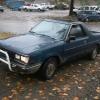
July 25, 200520 yr Theres an ea82 4wd turbo sedan with rear discs still on it at the lynnwood PAP if anyone's lookin for a set of rear disc breaks for a conversion. Saw it today while I was checking out the white 83 wagon, hoping it had good seats. Has 2 good axles, no ripped boots. The moter looks like it runs, I suspect it leaked though, I couldn't find anything physically wrong with the car. It looked like from the shop reciept that they were taking good care of it until something made them give up, maybe a tranny went? it has a 4spd D/R in it. Anyway, just giving everyone the update as of this morning.
July 25, 200520 yr Theres an ea82 4wd turbo sedan... it has a 4spd D/R in it. EA82T with a 4spd D/R???
July 25, 200520 yr EA82T with a 4spd D/R??? Funny, that was my same impression when I read it. If it is a factory setup and a turbo, but not a RX it will more then likely have a single range 5 speed tranny. It could have a D/R option also, but those are rare unless it is a RX.
July 26, 200520 yr Author Ah Crap! Sorry I completly spaced! the one with good axles and all that in the second paragraph, is about a white 83 ea81 wagon I took parts off of at PAP. But the ea82 sedan is a turbo with rear discs.

Please sign in to comment
You will be able to leave a comment after signing in
Sign In Now