Skip to content
View in the app

A better way to browse. Learn more.

Ultimate Subaru Message Board

A full-screen app on your home screen with push notifications, badges and more.

To install this app on iOS and iPadOS
  1. Tap the Share icon in Safari
  2. Scroll the menu and tap Add to Home Screen.
  3. Tap Add in the top-right corner.
To install this app on Android
  1. Tap the 3-dot menu (⋮) in the top-right corner of the browser.
  2. Tap Add to Home screen or Install app.
  3. Confirm by tapping Install.

saw a 06 impreza

Featured Replies

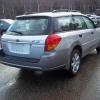
the other day me and a friend was going down the road,(helping him move some of his cars around) well anyway it was a good thing i was in the passenger seat cause i would have been in an accident.i saw it coming towards us an at first i didn't know what it was till it got up close.i whipped my head around an my friends like what the ****'s your prob?


granted it must have been a base model impreza cause it didn't have a wing on the back and no hood scoop,but it did have the same grill as a tribeca.


must have been from local dealer cause it still had the protective paper stuff on it plus dealer plates.

Please sign in to comment

You will be able to leave a comment after signing in

Sign In Now

Account

Navigation

Search

Search

Configure browser push notifications

Chrome (Android)
  1. Tap the lock icon next to the address bar.
  2. Tap Permissions → Notifications.
  3. Adjust your preference.
Chrome (Desktop)
  1. Click the padlock icon in the address bar.
  2. Select Site settings.
  3. Find Notifications and adjust your preference.