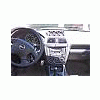
January 30, 200620 yr I have one grip about my bulletproof 1995 Legacy. The instrument panel control switch lights burned out early (apparently a common Subaru problem). I lost the excellent forum thread/posting about how to replace the hard-to-access switch lights. I’m not sure which Subie forum it was on but it was incredibly detailed. I can’t figure out how to access the 2 light bulbs inside the heater/ac/ventilation control unit. The entire unit is tethered by that @#* cable connected to the vent temperature control. Any helpful hints would be appreciated. The defrost/cruise/foglight button lights were simple enough. The total cost for all eight light bulbs are about $26. The dealer estimated a $200 cost to replace them. Note: Any aspiring would-be Subaru mechanics should disconnect the battery cable and wait 10 minutes before trying this at home (air bag). Thanks! Driving in the Dark
January 30, 200620 yr http://www.ultimatesubaru.org/forum/showthread.php?t=2498&page=1&pp=10&highlight=climate+control+backlight
January 31, 200620 yr Author http://www.ultimatesubaru.org/forum/showthread.php?t=2498&page=1&pp=10&highlight=climate+control+backlight Handtool: Thanks for the awesomely fast response. 6-7 pages of the forum thread and great instructions! It's funny how big of a problem these lights are on the 95'ish Legacy. I should have done this a long time ago but I didn't find this message board until recently. You Rock. I can see the light at the end of the tunnel...
January 31, 200620 yr Driving in the Dark it was fairly easy to get to but then i finally unhooked everything except the heat/cool cable thing ...this thing is on a clip type of thing, so i tore the unimportant looking clip apart so the cable could come loose...DONT DO THIS unless u want no air temp control... i had to put the cable back in place with the torn up clip and started soldering it and random pieces of plastic to it so it would hold it while u move the cable for heat or cool. it works now though,, just a huge rump roast pile of melted stuff together on it!
January 31, 200620 yr The FAQ sticky had the link you wanted http://www.ultimatesubaru.org/forum/showthread.php?t=51554

Please sign in to comment
You will be able to leave a comment after signing in
Sign In Now