Skip to content
View in the app

A better way to browse. Learn more.

Ultimate Subaru Message Board

A full-screen app on your home screen with push notifications, badges and more.

To install this app on iOS and iPadOS
  1. Tap the Share icon in Safari
  2. Scroll the menu and tap Add to Home Screen.
  3. Tap Add in the top-right corner.
To install this app on Android
  1. Tap the 3-dot menu (⋮) in the top-right corner of the browser.
  2. Tap Add to Home screen or Install app.
  3. Confirm by tapping Install.

'03 Question

Featured Replies

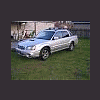
Hey all- I just bought an '06 Baja, and was comparing it to my nieghbors '03 Baja and had a question regarding his truck. His seats are black leather or vynil around the edges (like mine), but whereas mine are a cloth type material in the center his is a perforated grey vynil or leather. Does anyone know if it is actually leather? Did they ever come with grey vynil in the middle? I had read that when the Baja first came out for '03 that they had leather seats standard (until the 'sport' model came out).

Any help would be appreciated. I told him I would try to find out for him if it was leather or not. Thanks in advance for any replies.

Spacinjason

Please sign in to comment

You will be able to leave a comment after signing in

Sign In Now

Account

Navigation

Search

Search

Configure browser push notifications

Chrome (Android)
  1. Tap the lock icon next to the address bar.
  2. Tap Permissions → Notifications.
  3. Adjust your preference.
Chrome (Desktop)
  1. Click the padlock icon in the address bar.
  2. Select Site settings.
  3. Find Notifications and adjust your preference.