Skip to content
View in the app

A better way to browse. Learn more.

Ultimate Subaru Message Board

A full-screen app on your home screen with push notifications, badges and more.

To install this app on iOS and iPadOS
  1. Tap the Share icon in Safari
  2. Scroll the menu and tap Add to Home Screen.
  3. Tap Add in the top-right corner.
To install this app on Android
  1. Tap the 3-dot menu (⋮) in the top-right corner of the browser.
  2. Tap Add to Home screen or Install app.
  3. Confirm by tapping Install.

Interior air filtration question

Featured Replies

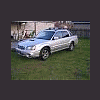
:headbang:Hey all- I just bought a '06 Baja Turbo that has the interior air filtration system. Doew anyone know where that filter is kept at and how hard it is to replace? Thanks in advance for any replies!

Spacinjason

Not sure exactly, but it's somewhere behind the glove box. I'm pretty sure the manual has some sort of explanation.

Exactly! Check the manul, there's a full description of how to replace the filter element (and how often to do it) - it involves removing the glove box.

  • Author

:headbang:Thanks for the replies guys! I thought it might be around the glovebox area. Sounds like fun to replace!:-\ Oh well, I will figure it out! Thanks again!

Spacinjason

Please sign in to comment

You will be able to leave a comment after signing in

Sign In Now

Account

Navigation

Search

Search

Configure browser push notifications

Chrome (Android)
  1. Tap the lock icon next to the address bar.
  2. Tap Permissions → Notifications.
  3. Adjust your preference.
Chrome (Desktop)
  1. Click the padlock icon in the address bar.
  2. Select Site settings.
  3. Find Notifications and adjust your preference.