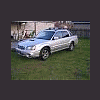
May 14, 200619 yr I recently came across a thread where someone posted pics of thier silver Baja with powdercoated baja bars. I cannot seem to find it again! It looked really nice as I don't care for the chrome look all that much. My question is how difficult is it to remove the baja bars and can you drive your Baja around without them while they are being powdercoated? I heard that they are part of the structural integrety of the vehicle. Any help would be appreciated! Thanks in advance. Spacinjason '06 Baja Turbo MT:burnout:
May 14, 200619 yr I think I remember seeing a thread like that on NASIOC or scoobytruck.com. Hope this helps! Kurt
May 15, 200619 yr Author Thanks Kurt. Maybe that was where I saw it? Spacinjason '06 Baja Turbo MT:burnout: I think I remember seeing a thread like that on NASIOC or scoobytruck.com. Hope this helps! Kurt

Please sign in to comment
You will be able to leave a comment after signing in
Sign In Now