Skip to content
View in the app

A better way to browse. Learn more.

Ultimate Subaru Message Board

A full-screen app on your home screen with push notifications, badges and more.

To install this app on iOS and iPadOS
  1. Tap the Share icon in Safari
  2. Scroll the menu and tap Add to Home Screen.
  3. Tap Add in the top-right corner.
To install this app on Android
  1. Tap the 3-dot menu (⋮) in the top-right corner of the browser.
  2. Tap Add to Home screen or Install app.
  3. Confirm by tapping Install.

Forgot to tell everyone that i took my wagon out in the woods (pics)

Featured Replies

So i went to a camp sight near kalamah falls washington. took it muddin a bit for the first time in a long time. Here are some pics:banana:

post-17686-136027616849_thumb.jpg

post-17686-136027616852_thumb.jpg

post-17686-136027616853_thumb.jpg

post-17686-136027616855_thumb.jpg

post-17686-136027616856_thumb.jpg

  • Author

Sorry i dont know how to put bigger pics on:horse:

Sorry i dont know how to put bigger pics on:horse:


but you have bigger pics?


goto http://www.photobucket.com sign up...it's free (and very useful)


upload your pictures onto there and then it'll give you 3 different source codes under each picture's thumbnails. copy the tag and paste it here into your message body.

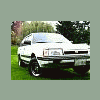
Awesome Danny! So happy to see that thing moving again!!

Please sign in to comment

You will be able to leave a comment after signing in

Sign In Now

Account

Navigation

Search

Search

Configure browser push notifications

Chrome (Android)
  1. Tap the lock icon next to the address bar.
  2. Tap Permissions → Notifications.
  3. Adjust your preference.
Chrome (Desktop)
  1. Click the padlock icon in the address bar.
  2. Select Site settings.
  3. Find Notifications and adjust your preference.