Skip to content
View in the app

A better way to browse. Learn more.

Ultimate Subaru Message Board

A full-screen app on your home screen with push notifications, badges and more.

To install this app on iOS and iPadOS
  1. Tap the Share icon in Safari
  2. Scroll the menu and tap Add to Home Screen.
  3. Tap Add in the top-right corner.
To install this app on Android
  1. Tap the 3-dot menu (⋮) in the top-right corner of the browser.
  2. Tap Add to Home screen or Install app.
  3. Confirm by tapping Install.

Trip planned to go out west In search of suby's

Featured Replies

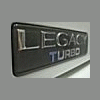
My long term plans, ie next spring/summer is to fly out west to bc, for either an RX or another Legacy Turbo. Here, It is impossible to find an RX let alone one in any good shape (damn salt :banghead: ) . Or a Legacy Turbo, I'm after a corrosion free example, as here there are a few but all rusted, people just don't care about the great cars :boohoo: . Anybody else do this type of thing? Any advice? Once I got em over here, they'd never see salt, I'd put em away for the winter, and keep em forevAr :grin:


Mark,

Buy Ken's pretty wagon. I'll drive it back East if you'll meet me in the US, pay gas, and buy me a ticket back to Seattle. Oh yeah, you'd have to wait a month. LOL

Please sign in to comment

You will be able to leave a comment after signing in

Sign In Now

Account

Navigation

Search

Search

Configure browser push notifications

Chrome (Android)
  1. Tap the lock icon next to the address bar.
  2. Tap Permissions → Notifications.
  3. Adjust your preference.
Chrome (Desktop)
  1. Click the padlock icon in the address bar.
  2. Select Site settings.
  3. Find Notifications and adjust your preference.