Skip to content
View in the app

A better way to browse. Learn more.

Ultimate Subaru Message Board

A full-screen app on your home screen with push notifications, badges and more.

To install this app on iOS and iPadOS
  1. Tap the Share icon in Safari
  2. Scroll the menu and tap Add to Home Screen.
  3. Tap Add in the top-right corner.
To install this app on Android
  1. Tap the 3-dot menu (⋮) in the top-right corner of the browser.
  2. Tap Add to Home screen or Install app.
  3. Confirm by tapping Install.

little bit of snow pic's

Featured Replies

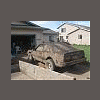
theres some pics of me stuck. the one hill that i got stuck the week befor i made it up and down but this time going down it got bit gooooweeeeee got pulled backwards and tryed it one more time and made it


sorry but the pics are on #3 i will try to get more

dennis

post-955-136027619202_thumb.jpg

man I'm jealous... you got mud snow and the color ea81 I really like. Nice wagon, I had an 81 that color which is now the beast, wish I had another one that was mostly stock. Shoot, I wish I could legally drive right now :rolleyes:

  • Author

when you can drive let me know and i will take you where theres mud and snow trying to find people to go play

Please sign in to comment

You will be able to leave a comment after signing in

Sign In Now

Account

Navigation

Search

Search

Configure browser push notifications

Chrome (Android)
  1. Tap the lock icon next to the address bar.
  2. Tap Permissions → Notifications.
  3. Adjust your preference.
Chrome (Desktop)
  1. Click the padlock icon in the address bar.
  2. Select Site settings.
  3. Find Notifications and adjust your preference.