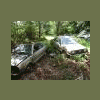
August 23, 200718 yr Author I live in Yelm. Off old mckenna rd. Do you really want it? Your a ways away. I took this pic just minutes ago. Shes waitin' for ya. http://i166.photobucket.com/albums/u111/shedmr/freeforyou.jpg
August 23, 200718 yr I live in Yelm. Off old mckenna rd. Do you really want it? Your a ways away.I took this pic just minutes ago. Shes waitin' for ya. http://i166.photobucket.com/albums/u111/shedmr/freeforyou.jpg Next in line if he can't pick it up thanks Max
August 23, 200718 yr Author Next in line if he can't pick it up thanks Max O.k. I have the intake and other stuff as well.
August 24, 200718 yr :burnout: my 1980 gl 1600 runns the ea71 when my disty busted it tooka few teath off the crank shaft (the gear thta turns the disty) so i want a spare just to be safe and with the ea71 dissapearing the way they are i need all the help i can get. ps when you say you have the intake and al that stuff you have disty yoo right ? thanks rob
August 24, 200718 yr Author I installed the dist. and carb off the ea71 onto the "new" ea81 so as to simplify the vac and elec. hookup. Im thinking you can use any distributor from any EA engine to work with your ea71. But yeah, I have the intake too. Come and get it, Man.
August 26, 200718 yr all i really want is the tranny and maby the pistons so if subaruguru dosent what those that would be cool :cool: Max
August 26, 200718 yr ok well shoot i hate that i cant but i havent got the money to go get it so go for it guys. i guess i will just throw an ea81 or ea82 in it i think i will go with the ea82 cut the sub frame and weld in patches so it will fit oh yeah run the 2wd stuff lol idk i will cross that bridge when it comes.
August 26, 200718 yr Author Yo Mad Max, Ya still want that eng/trans? I'd like to see it gone. 10416 Old McKenna rd, Yelm....

Please sign in to comment
You will be able to leave a comment after signing in
Sign In Now