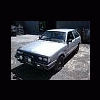
October 27, 200718 yr So last time i got my 87 Hatch smogged the HydroCarbons at idle were way too high. Like 20x to high. So now im ready to get the car smogged again and i need to fix this problem before i take it in. Ive heard i should adjust the engine idle air mixture and when i looked it up in the FSM all it says is that this adjustment is not recomended. Thats IT. So any suggestions??
October 28, 200718 yr what were the other emissions numbers? high HC's can mean certain things, but the other numbers are just as important to know what the problem is. that, and was it failing at idle, high RPM, or both? ideally, post the HC and CO numbers for both idle and 2500RPM, those will tell a lot about your car. ~Erik~
October 30, 200718 yr Author So here's the deal, i couldn't find the smog paper work from 4 months ago when i took the car in and it failed. I forgot all the totals of HC and CO so i figured i better take it in again since i have a whole new ignition on the car now.(Cap, Rotor, Plugs, Wires, Coil) So i figured since the second smog was free, why not just get it done again. And holy sh*t, it PASSED. Less then half the limit of emissions. So now the new crate EA81 CCR high compression motor, SPFI conversion, and GM alternator swap are California Legal!!!!!! Really glad i never sold this car. Its fun as hell to drive.

Please sign in to comment
You will be able to leave a comment after signing in
Sign In Now