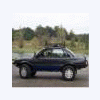
October 27, 200718 yr While inroute to Dothan Al from Plainfield Nj. on I81 exit 257 in Virginia,I stoped for coffee I found a cool guy and his girlfriend with an 86 4WD wagon. This was his lucky day to find US all here on the best SUBARU website on the earth.He had not heard of us before. And I gave him the scoop and asked him to join we will be a great help. he and I dove right into questions that needed answers, so Hope he tunes in . Thanks everyone for making,and keeping this a great family.:cool:
October 28, 200718 yr Mauzy? You must have stopped at the liberty gas station just off I-81. I live in Luray just north of Mauzy. I have tried to recruit Subaru drivers around here before but most of them don't have a computer! Small world huh? Here's another one, I was born in Plainfield NJ !!!

Please sign in to comment
You will be able to leave a comment after signing in
Sign In Now