Skip to content
View in the app

A better way to browse. Learn more.

Ultimate Subaru Message Board

A full-screen app on your home screen with push notifications, badges and more.

To install this app on iOS and iPadOS
  1. Tap the Share icon in Safari
  2. Scroll the menu and tap Add to Home Screen.
  3. Tap Add in the top-right corner.
To install this app on Android
  1. Tap the 3-dot menu (⋮) in the top-right corner of the browser.
  2. Tap Add to Home screen or Install app.
  3. Confirm by tapping Install.

Spokane noob

Featured Replies

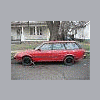
Just got an '86 Subaru GL. I posted on here once back in October I think, but then deployed. Came back the middle of last month and picked one up. Not sure if I got a good deal or not, it needs work, CV, new clutch and a windshield, but she drives ok. Came with a set of basically new mounted studded snows, some rust, etc. I put a few pics in my photo gallery, don't laugh too hard :lol:

  • Author

No, it was not the $1300 one, this one was $650 and probably not nearly as nice.

Thanks for the welcome.

  • Author
well anyways

im up in Rathdrum

not much goin on up here

Couple of my motorcycle riding buddies live in Rathdrum. Probably would have been better off buying the $1300 one. Likely mine will end up being that much!

Please sign in to comment

You will be able to leave a comment after signing in

Sign In Now

Account

Navigation

Search

Search

Configure browser push notifications

Chrome (Android)
  1. Tap the lock icon next to the address bar.
  2. Tap Permissions → Notifications.
  3. Adjust your preference.
Chrome (Desktop)
  1. Click the padlock icon in the address bar.
  2. Select Site settings.
  3. Find Notifications and adjust your preference.