Skip to content
View in the app

A better way to browse. Learn more.

Ultimate Subaru Message Board

A full-screen app on your home screen with push notifications, badges and more.

To install this app on iOS and iPadOS
  1. Tap the Share icon in Safari
  2. Scroll the menu and tap Add to Home Screen.
  3. Tap Add in the top-right corner.
To install this app on Android
  1. Tap the 3-dot menu (⋮) in the top-right corner of the browser.
  2. Tap Add to Home screen or Install app.
  3. Confirm by tapping Install.

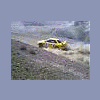
my pseudo rally car/hill climber

Featured Replies

who says old cavaliers aren't good? :lol:


sidewaysincavi.jpg


hillcavi.jpg


bumpscavi.jpg


i think the trunklid sums it all up nicely:

trunklid.jpg:clap:

  • 3 weeks later...

Whats the difference between a fat chick and a Chevy Cavalier?


They are both fun to ride but you dont wanna let your friends see you ridden them.

Couldt resist.

  • Author
Whats the difference between a fat chick and a Chevy Cavalier?


They are both fun to ride but you dont wanna let your friends see you ridden them.

Couldt resist.


haha, i always thought that was only true for mopeds.


i never got a pic of it but we rattle canned the roof and doors yellow and put taxi on both sides because all my friends kept asking for rides. that car was our "official" party car for about a year since we always packed it full of people and went to random parties throughout town.

Please sign in to comment

You will be able to leave a comment after signing in

Sign In Now

Account

Navigation

Search

Search

Configure browser push notifications

Chrome (Android)
  1. Tap the lock icon next to the address bar.
  2. Tap Permissions → Notifications.
  3. Adjust your preference.
Chrome (Desktop)
  1. Click the padlock icon in the address bar.
  2. Select Site settings.
  3. Find Notifications and adjust your preference.