Skip to content
View in the app

A better way to browse. Learn more.

Ultimate Subaru Message Board

A full-screen app on your home screen with push notifications, badges and more.

To install this app on iOS and iPadOS
  1. Tap the Share icon in Safari
  2. Scroll the menu and tap Add to Home Screen.
  3. Tap Add in the top-right corner.
To install this app on Android
  1. Tap the 3-dot menu (⋮) in the top-right corner of the browser.
  2. Tap Add to Home screen or Install app.
  3. Confirm by tapping Install.

New Guy, No Subaru YET

Featured Replies

Im new here dont have a Subaru YET, but i will sometime next year. Im looking to get a late 80's or early 90's GL,DL,or Loyale. Joinin up here so i can learn as much about the cars as possible before i start lookin for one. I currently have a 1995 Geo Metro and a 1979 Toyota Pickup. The Toyota is going to be sold early next year so I can spend the money on getting a Subaru.

Watch craigslist in your area and you are sure to find a good deal if you are patient. Read and read on here and you will learn lots.

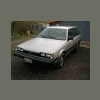
Welcome aboard! You are in the right state for finding a nice Subaru!


Jeff

Please sign in to comment

You will be able to leave a comment after signing in

Sign In Now

Account

Navigation

Search

Search

Configure browser push notifications

Chrome (Android)
  1. Tap the lock icon next to the address bar.
  2. Tap Permissions → Notifications.
  3. Adjust your preference.
Chrome (Desktop)
  1. Click the padlock icon in the address bar.
  2. Select Site settings.
  3. Find Notifications and adjust your preference.