Skip to content
View in the app

A better way to browse. Learn more.

Ultimate Subaru Message Board

A full-screen app on your home screen with push notifications, badges and more.

To install this app on iOS and iPadOS
  1. Tap the Share icon in Safari
  2. Scroll the menu and tap Add to Home Screen.
  3. Tap Add in the top-right corner.
To install this app on Android
  1. Tap the 3-dot menu (⋮) in the top-right corner of the browser.
  2. Tap Add to Home screen or Install app.
  3. Confirm by tapping Install.

Hardrock OHV park

Featured Replies

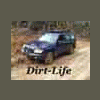
Some pics from Hardrock OHV park in Ocala FL.


h3.jpg

h4.jpg

h1.jpg

h2.jpg

IMG_1790.jpg

IMG_1778.jpg

IMG_1818.jpg


The Forester made it's bones today,did everything I tried and I climbed almost every hill in the park.

I've never felt so confident of it's offroad abilities.


Vids.


Was to much fun,can't wait to do the 4eat lock mod and go back.

Edited by frogstar7055

Looks like you had fun! So you're liking your new lift. Yeah that thing would go even better with a little bigger and more aggressive tire. Not too big though, you want to have enough power to turn them well. I wish there was someplace around here like that to go and have fun!

Please sign in to comment

You will be able to leave a comment after signing in

Sign In Now

Account

Navigation

Search

Search

Configure browser push notifications

Chrome (Android)
  1. Tap the lock icon next to the address bar.
  2. Tap Permissions → Notifications.
  3. Adjust your preference.
Chrome (Desktop)
  1. Click the padlock icon in the address bar.
  2. Select Site settings.
  3. Find Notifications and adjust your preference.