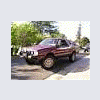
April 7, 200916 yr So I just got back from taking my ej brat to the Cal Smog Ref to inspect my engine swap and certify that I did it legally and that it passed emissions. When I left, my kid (6 year old evil genius) was reading the owners manual for our 1998 impreza. He's about half way through and probably will finish it by bed time. So if you have any questions about your 1998 impreza outback sport I'm sure my kid will have the info you need. Yup, thats my boy! Daniel ps- the brat passed the smog ref inspection too!
April 7, 200916 yr He's about half way through and probably will finish it by bed time. So if you have any questions about your 1998 impreza outback sport I'm sure my kid will have the info you need. ps- the brat passed the smog ref inspection too! Yeah, that sounds like how I was back when I was his age. I was reading car emblems by three and could name every car I saw on the road by five, I've been told. Glad to hear there's more people like me out there. Have fun with the Subaru Brat! I've heard that those are awesome cars.
April 7, 200916 yr Glad to hear there are still some kids out there that like to read. I was starting to think that was a thing of the past. Nurture that trait. And congrats on getting the EJ swap to pass! Will-

Please sign in to comment
You will be able to leave a comment after signing in
Sign In Now