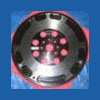
June 8, 200916 yr After my recent work on my car, I have the "I need some more" bug. Any suggestions on either bolt on or other Mods? Any suggestions appreciated. Looking for some more pep. The only aftermarket mod currently is an ACT lightened flywheel and clutch kit.
June 8, 200916 yr Depends what you're after. If you want true performance then there's not much you can do except go with forced induction (turbo/supercharger). If you just want to trick it out for novelty and fun, or make it sound/feel different then plug around the internet, there's all sorts of goodies you can bolt on, just depends what you're after. Might want to start with JC Whitney, NASIOC, SUMMIT, Ebay and see what's out there. You can slap on intakes, exhausts. You can get lightened belt components - crank & alternator pulleys. But in reality if you have "the bug", these kinds of mods won't do it for you because they do very little towards actually making the car fast (on a non-turbo vehicle). This is subject very much to the law of diminishing returns...the more you get, the more you want - because what you're getting is so tiny in terms of actual performance. normally aspirated cars just don't have much you can do to them. a quick read of forced induction verses normally aspirated will show you why you can get so much power increases out of forced induction but not normally aspirated stuff. NA cars you can gain maybe 5-10 hp. Turbo cars you can gain like 100.

Please sign in to comment
You will be able to leave a comment after signing in
Sign In Now