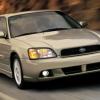
July 14, 200916 yr My Mother is moving to East Lansing, Michigan with her '03 Legacy GT sedan. Anyone on the board know of a good idependant Subaru shop in there area?
October 8, 200916 yr Author Yep Big three have a grip in there backyard but hoping with Michigan State in the same town there might be some good local shops.
November 4, 200916 yr Author Well wish I would have founda good independant shop for her. She just went to William's Subaru in Lansing, Michigan for a oil change and free brake inspection. Came out with a oil chnaged JUST front pads and rotors and not much else but $850 poorer!! God I hate, when you have to have to go to STEALERSHIPS for anything.
November 4, 200916 yr Yes.. the stealerships are evil. Friend of mine's mom paid 150 for new airfilter (and they apparently managed to brag about the technology in it) and oil.. awful. As an answer to your question.. no idea about Michigan by why not go a reputable local/general mechanic for basic work such as oil changes and brakework. It's really simple stuff and you shouldn't pay the dealer 100+/hr.

Please sign in to comment
You will be able to leave a comment after signing in
Sign In Now