July 24, 200916 yr Has anyone done a swap fron 9003 to h4 Lights ?? h4-60/55w 9003 The Wattage 71 / 66 67 / 60 Voltage 13.2 12.8 / 12.8001 rated life 225hrs/900hrs 150 hrs/800hrs Initial lumens 1736 / 1005 1736 / 995 This I got from the GE commercial products & solutions Web site. There is more on the web site. I would like to upgrade the lights . Any help would be greatful. Really do not want to put aux lights on front if at all possible. Have daytime running lights But on reduced power hi beam:)
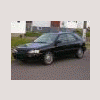
July 27, 200916 yr What vehicle is this for? This document has some good info http://candlepowerinc.com/pdfs/H4_9003.pdf Just saw you're in Canada. You can upgrade to the H4's without any issues.

Please sign in to comment
You will be able to leave a comment after signing in
Sign In Now