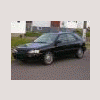
August 1, 200916 yr I hope you folks don't mind me asking.. But I have done a Search on the Subaru Search site on JBM projector lamps, and HID's but I am interested if any one has installed projector replacement units in their cars and if it really helped. We live in and around a Very large moose population. 850 lbs and up + and many deer who never seem to cross where the moose or deer signs are.... Looking at the wealth of info I will not be using the HID units.. So has anyone tried using the projection styles and the outcome ?? I have a 96 impreza . Thanks for help on this subject..
August 1, 200916 yr For the 96's, a setup called "Morettes" were available for the car in Japan. Unfortunately, due to their beam pattern (Japanese drive on the left), they blind oncoming drivers in this country. My suggestion would me to wire up some relays for your headlights and go with some huge fog lamps if you need lighting that badly.

Please sign in to comment
You will be able to leave a comment after signing in
Sign In Now