unholycumulus
Members
-
Joined
-
Last visited
Everything posted by unholycumulus
-
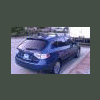
SO - i never did get the xt.. however i just scored a 2011 Impreza. Just finished tinting the windows, getting the roof rack, a set of weathertechs, and some bike racks for the mountain bike. here are some pictures..! and already took it into Anza Borrego (picture is from the wind caves) Looking to do modifications asap.. not sure what BUT i can't seem to ever let my cars be.
-
Toyotas and Jeeps! Cant get much better than that
-
haha you got it! It's pretty rad.. i get lots of complements on it. most people think its a Nova and Thank You!! Thanks! Glad to be here
-
Dude, awesome 4runner!! I have a 2005 tacoma i wheel in a lot! That thing is GORGEOUS I saw a really rad 80's 4runner the other day that looked like it just came out of the factory.. i couldnt get my cellphone camera ready in time but it was amazing..!
-
Hi all! I am looking to buy my brother's 1988 Subaru XT6 5 speed from him shortly.. so I'm looking to become familiar with the Subaru world. He has always been HUGE into Subaru's and has dragged my twin into it.. and now it looks like I've followed suit! I have a few cars now (1965 Dodge Dart GT v8 and a 2005 Toyota Tacoma SR5 Prerunner) that i will not be parting with.. (on forums for those as well!) so.. here we go.. post #1 of hopefully a few thousand! Cheers