Skip to content
View in the app

A better way to browse. Learn more.

Ultimate Subaru Message Board

A full-screen app on your home screen with push notifications, badges and more.

To install this app on iOS and iPadOS
  1. Tap the Share icon in Safari
  2. Scroll the menu and tap Add to Home Screen.
  3. Tap Add in the top-right corner.
To install this app on Android
  1. Tap the 3-dot menu (⋮) in the top-right corner of the browser.
  2. Tap Add to Home screen or Install app.
  3. Confirm by tapping Install.

Subaaaroo Nick

Members
  • Joined

  • Last visited

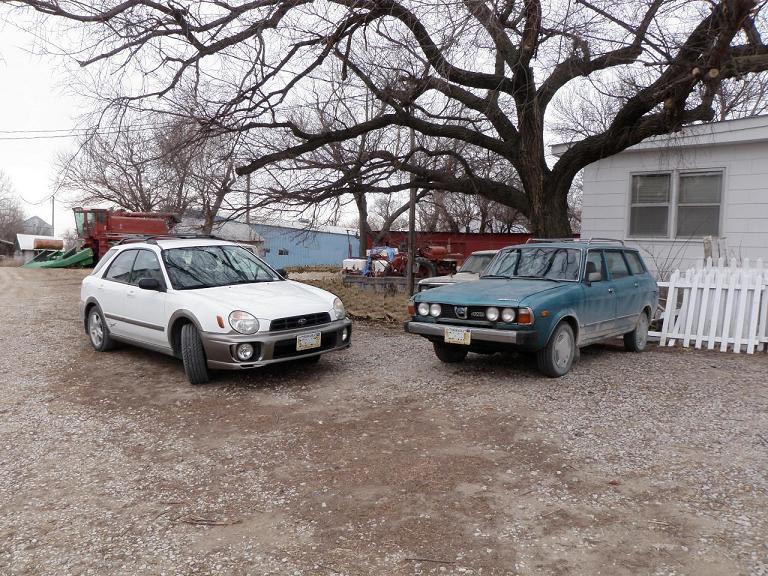
  1. Nebraska 1980 Brat and 1979 GL wagon In front of our family's 160 year old farm house Ready to race!! Subaru owners and their dogs Last year with my niece's slightly newer wagon More to come..... feel free to post more family Subaru's here too
  2. Hi im Nick. I live south of Omaha Ne. I drive a 1979 Wagon. The best one in the state.
Account

Navigation

Search

Search

Configure browser push notifications

Chrome (Android)
  1. Tap the lock icon next to the address bar.
  2. Tap Permissions → Notifications.
  3. Adjust your preference.
Chrome (Desktop)
  1. Click the padlock icon in the address bar.
  2. Select Site settings.
  3. Find Notifications and adjust your preference.