Skip to content
View in the app

A better way to browse. Learn more.

Ultimate Subaru Message Board

A full-screen app on your home screen with push notifications, badges and more.

To install this app on iOS and iPadOS
  1. Tap the Share icon in Safari
  2. Scroll the menu and tap Add to Home Screen.
  3. Tap Add in the top-right corner.
To install this app on Android
  1. Tap the 3-dot menu (⋮) in the top-right corner of the browser.
  2. Tap Add to Home screen or Install app.
  3. Confirm by tapping Install.

Legourde_Nux

Members
  • Joined

  • Last visited

Everything posted by Legourde_Nux

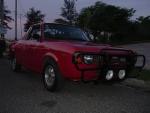
  1. Hello everyone...joining this great community from the Dominican Republic. I decided to join, because it's not fair that I've been able to read some great info as a "guest" and not give anything back. Proud owner (actually 3er owner) of a 1979 Brat (EA71) since 1993 and of a EJ16 Impreza. Currently gathering 'cause I plan to take apart the BRAT and start from 0. Glad to be here!!!
Account

Navigation

Search

Search

Configure browser push notifications

Chrome (Android)
  1. Tap the lock icon next to the address bar.
  2. Tap Permissions → Notifications.
  3. Adjust your preference.
Chrome (Desktop)
  1. Click the padlock icon in the address bar.
  2. Select Site settings.
  3. Find Notifications and adjust your preference.