91legacyman
Members
-
Joined
-
Last visited
-
I love the car! I wonder if the Brz's boxer engine can be transplanted into any other Subaru's? I'd love to have that engine in my legacy
-
91legacyman replied to 91legacyman's topic in 1990 to Present Legacy, Impreza, Outback, Forester, Baja, WRX&WrxSTI, SVXAlso what is the newest year of struts or suspension that you know of fitting in a 91?
-
Does anyone know how much it could cost switching from obd1 to obd2 system for a first gen legacy?
-
91legacyman replied to 91legacyman's topic in 1990 to Present Legacy, Impreza, Outback, Forester, Baja, WRX&WrxSTI, SVXYeah I know she's got a lot of life left but I'm worried if I add any power to my 2.2 it will kill it way faster at 217k. I like the 2.5 idea. So the 2.2 heads are the same bore as the 2.5 block?? Just different compression or what
-
91legacyman replied to 91legacyman's topic in 1990 to Present Legacy, Impreza, Outback, Forester, Baja, WRX&WrxSTI, SVXDo you think switching to a full obd2 system would be possible for less than a few grand? Minus cost of parts for a new engine and transmission. I want a new car underneath! I don't mind if its a Frankenstein car and needs to be rigged to get a larger engine I was thinking a 2.5 turbo from any year and its a 5 speed but if I could I would put a full new 30,000$ wrx underneath the car if I wanted to do that eventually is that even possible
-
I'm curious also I have a custom first gen legacy and want to put a newer Subaru engine thats more powerful inside what engines fit?
-
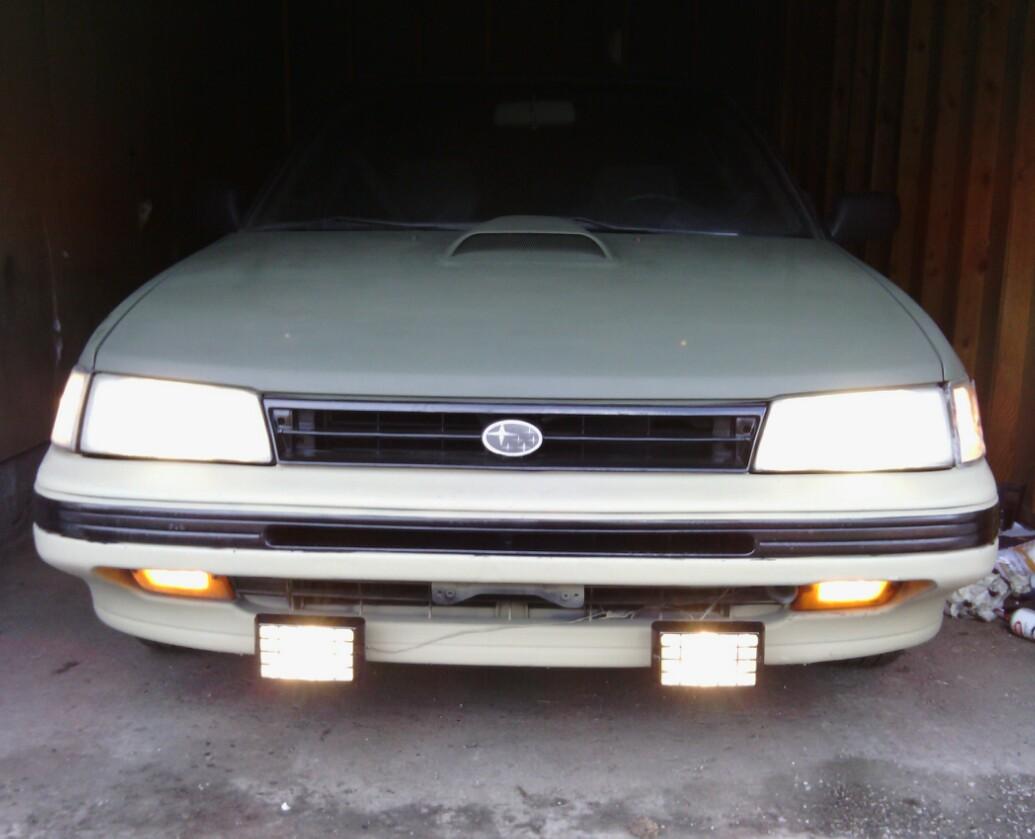
I have a 91 legacy wagon converting to an off roader, was wondering what newer engines and drive train and suspension is possible to fit in a first gen leggy. I want to make it as updated as possible as its 23 years old and the engine is at 217K. Subaru engines only.. something with more base power to build on
-
91legacyman replied to upnorthguy's topic in 1990 to Present Legacy, Impreza, Outback, Forester, Baja, WRX&WrxSTI, SVXMines a 91 with 216k!