john54
Members
-
Joined
-
Last visited
Everything posted by john54
-
john54 replied to john54's topic in 1990 to Present Legacy, Impreza, Outback, Forester, Baja, WRX&WrxSTI, SVXThanks Dave. Will have a look online.
-
john54 replied to john54's topic in 1990 to Present Legacy, Impreza, Outback, Forester, Baja, WRX&WrxSTI, SVXThanks for the replies guys. Forgive my ignorance DaveT but what is a FSM... Fact? Sheet? ??? and how would I find it?
-
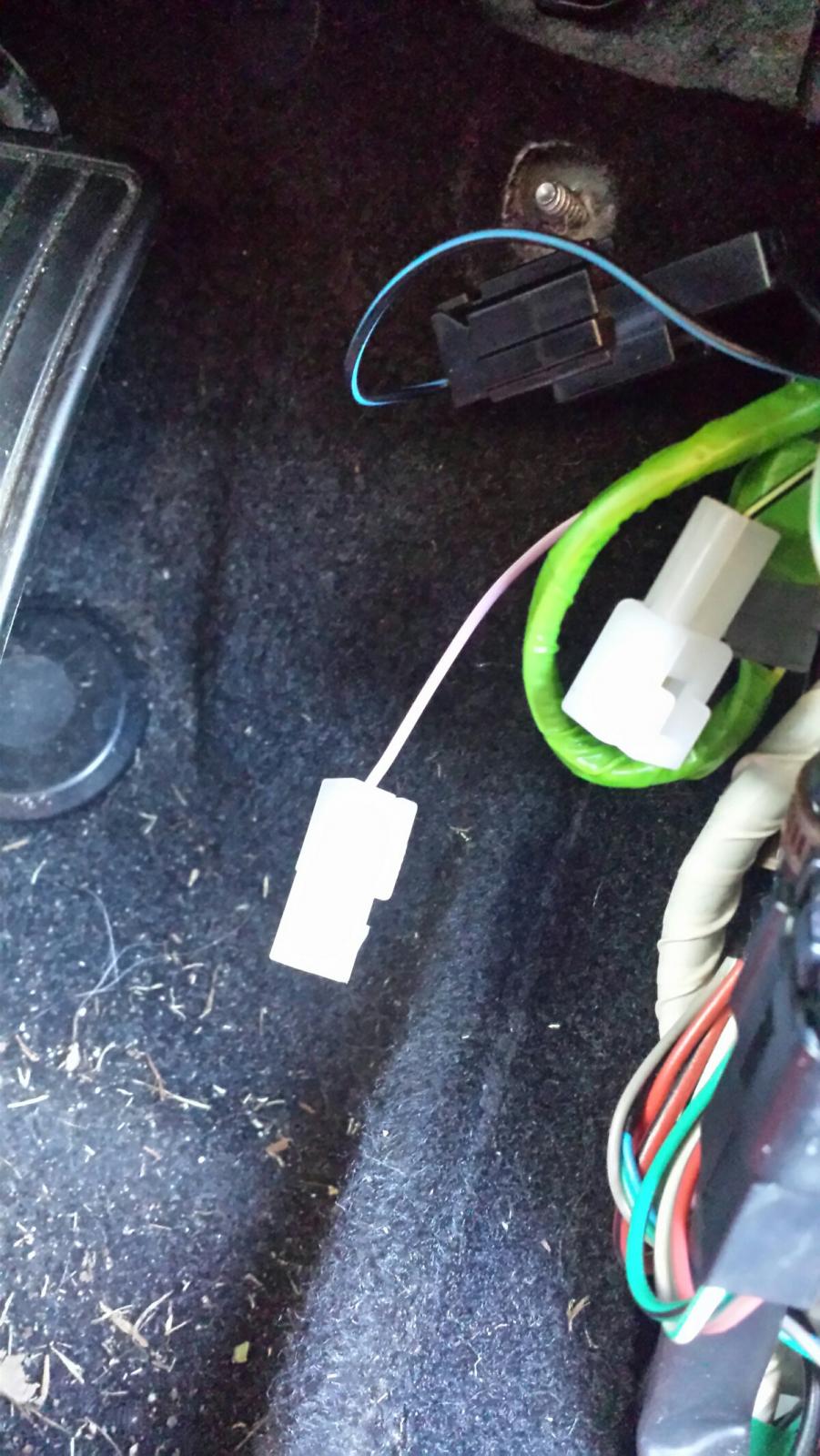
Hello there, This is my first post to the forum and i'm hoping someone can help me. While installing a reversing camera and parking sensors in my Subaru Impreza 2012, I had to remove the small front right (drivers side) kick panel. While running the reversing camera wire, I found two unconnected wires, one male and one female connector, hanging close together. mauve?/white (male) and black/yellow (female) (see attached photo) Given their proximity and the fact that they would easily connect together, i'm wondering if they should be connected and have somehow come apart. I'm hoping some kind person with the necessary knowledge or a similar age vehicle can take the time to check and advise me if I should connect them or not. Thanking You John Wex