skeet
Members
-
Joined
-
Last visited
Everything posted by skeet
-
Sounds like your on a roll. I'll be driving from Seattle to Kentucky in a week, without a license (just a permit) unless I get my license Tuesday. I hope all this cool stuff happens to me when I get home too =)
-
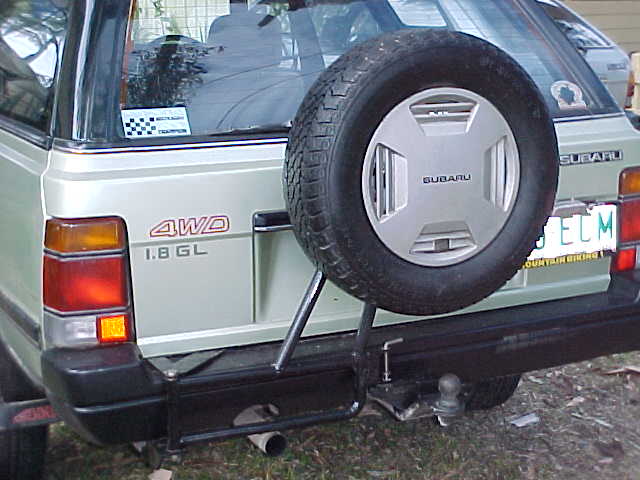
I'm not sure. Andy sent me the picture. All I know is that I want one
-
ANyone here (preferrably around Seattle) fab these things? I'll be wanting one before I make the trek back to Kentucky, and was wanting a price estimate ...
-
I call dibs on everything you wanted.
-
87 GL
-
What are bump stops?/ *goes to google*
-
You mean what DID I need them all for?
-
Don't count on finding any screens of faucets at Flying J Truck Stops anywhere on I-65. I got them all a few years back. All of them, it was insane.
-
Haha. I should have shown you up here before I told you in IRC
-
Step 1: Go to http://www.google.com Step 2: Enter "hitachi carb secondary mod" as your search paramater. And by the magic of the internet, the first option is.... http://www.subaru4wd.net/New/mods/carb.html :D The moral of the story: Always check google
-
How about 4? 4 is a good number. I like the way it sounds. "4" 4 oh yeah, thats nice
-
Pfff. At least you guys aren't in Kentucky =/
-
Dude, just rotate the engine so the intake is facing the ground, pick it up, and shake it real good. Wuss.