Skip to content
View in the app

A better way to browse. Learn more.

Ultimate Subaru Message Board

A full-screen app on your home screen with push notifications, badges and more.

To install this app on iOS and iPadOS
  1. Tap the Share icon in Safari
  2. Scroll the menu and tap Add to Home Screen.
  3. Tap Add in the top-right corner.
To install this app on Android
  1. Tap the 3-dot menu (⋮) in the top-right corner of the browser.
  2. Tap Add to Home screen or Install app.
  3. Confirm by tapping Install.

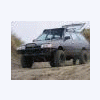
Heres some video of me wheelin

Featured Replies

actually its kind of a compilation of two of my subarus, mostly just spinnin donuts, and my cousin runnin tough trucks last year in his 82, lemme know what ya think!?

Edited by obk25xt

Cool, i digg it. Talk about spinning on a dime!!!!!

Dude, you went 25 miles in 100 feet. Awesome video.

  • 2 weeks later...

How come there are never any vids of both lifted subes out playing around?Ive seen the 82 on swampers on you tube but it is always with trackers/jeeps/etc...

  • Author

the 82 was sold in september of 08, right after i took that video, the person who bought it proceeded to beat the livin piss out of it and then sold it again. today i have no idea where it has ended up.

Please sign in to comment

You will be able to leave a comment after signing in

Sign In Now

Account

Navigation

Search

Search

Configure browser push notifications

Chrome (Android)
  1. Tap the lock icon next to the address bar.
  2. Tap Permissions → Notifications.
  3. Adjust your preference.
Chrome (Desktop)
  1. Click the padlock icon in the address bar.
  2. Select Site settings.
  3. Find Notifications and adjust your preference.