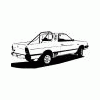
November 11, 200916 yr Just wanted to share the current condition of the BRAT. Its come a long way from the $300 car I towed home. Crazy custom lighting with a manly center lamp (dig the vid) http://s359.photobucket.com/albums/oo38/ihscout54/?action=view¤t=lights.flv SPFI swap Semi pimped interior w/IPOD jack
November 11, 200916 yr Author and like the license plate lol Yea photoshop, didnt really wanna share my plate #. You driving around with the 4WD locked in? No when the orig tranny went I couldnt find one anywhere I finally lucked out and got one that was low miles... Single speed 4x4 though, and the shift rod lengths were different somehow. So it sits up a little. Works great though.
November 11, 200916 yr Nice job with the ipod jack. Gotta have good tunes in the car. Is there another headunit tucked away somewhere or are you using the origional? New Headunit in mine. Couldn't find a place for it so I tore out the glove box and mounted it in there with its very own solid oak face plate. Would love upload some of my own pics but I don't know how? CAn you help me?
November 11, 200916 yr Author Did any one see the video? Nice job with the ipod jack. Gotta have good tunes in the car. Is there another headunit tucked away somewhere or are you using the origional? New Headunit in mine. Couldn't find a place for it so I tore out the glove box and mounted it in there with its very own solid oak face plate. Would love upload some of my own pics but I don't know how? CAn you help me? The ipod jack is spliced in to where the tape deck would have connected. I PM'd you about posting photos.
November 11, 200916 yr Yes. Saw the video. You should put blue halogens in there. Could be a lot of fun.

Please sign in to comment
You will be able to leave a comment after signing in
Sign In Now