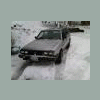
December 10, 200916 yr whats up guys, my names Vince, im from Hood River/White Salmon area of oregon and washington. (the columbia gorge). Ive finally got an old subie to mob! i bought a 83' GL wagon. has a 4-speed tranny and dual range 4wd. pretty fun little car. runs good. heater and stuff works, dash lights, running lights, etc... just a few little things i need to work out. i hoping this forum can send me in the right direction. anyways, i work a ski resort called Mt Hood meadows as a lift operator, i get to snowboard everyday, its an awesome job. i need a solid mountain mobber to get me there everyday. the purpose of this project is a rally inspired, trail/snow/ice capable. it gets really crazy on the HW35 to mt hood, cars wreck everyday... so anyways be prepared for all my random questions, hahaha. Edited December 10, 200916 yr by Mt.HOODrat
December 10, 200916 yr dual range tranny!! nice nice. Great to have... It sounds like you've got a good rig to toy with there. Scroll through the Gen 2 forums... you'll find lots of info. There will be questions answered before you know to ask them.
December 13, 200916 yr Be careful and modest on the road and carry a spare axle and the tools the do the job! I love my rig in the snow, but the axles don't like the jolt of hard slip and sudden grab. Weberize that thing as fast as you can and you'll never go back. Put a 5spd d/r in that thing and it will be a must on every vehicle you want to own. If your good to it, it will be VERY good to you.

Please sign in to comment
You will be able to leave a comment after signing in
Sign In Now