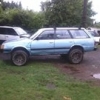
August 3, 201015 yr so Im driving home today 65-75mph. plenty of power coming from my 91 ea82 wagon (spfi) when I lost power. If youve seen any of my recent posts youd know that it has been pretty darn noisy on the drivers side of the engine for some time. a slipped timing belt had caused it to ping real bad for a week or two before i figured it out and fixed the timing. 1)What did I mess up while driving it like that? 2) If the noise was a lifter(which im not convinced it was, it was more like something was rubbing in the motor) are ea82t lifters/valves compatible with ea82? ne way, hopefully its just a tbelt:-\ and i can fix it on the freeway exit before it gets towed Thanx folks, Rob
August 3, 201015 yr this happened to me when the coil went on my turbo. The coil was making tons of noise arking on the body only at high rpm which made it hard to diagnose. Replaced and it was all good.
August 3, 201015 yr Author dagumn rotor came loose again:grin: prolly shoulda found the origional screw back when i lost it. pretty sure its in the xmember. luckily i have the gl10 parts car now and still have another disty. thanx for the help. to think, if I would have had a smaller screw-driver in my car I wouldve checked the rotor before going home and tearing off the tbelt covers/tensioners off the parts car. woohoo my motor still sounds like crap(but its running) Rob
Please sign in to comment
You will be able to leave a comment after signing in
Sign In Now