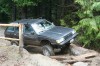
August 31, 201015 yr My dad picked up this turbo 91 wagon for $260.. could not pass that up! good work car for him its an auto but its going to get lifted with some Pugs. and a high low Pretty clean body [/img]
August 31, 201015 yr NICE!! a turbo wag that runs/drives for $260?? too bad about the auto. you see my new one yet?? its purdy:lol:
August 31, 201015 yr Author yeah to bad about the auto but its whatever No i havent seen yours i would like to check it out
September 8, 201015 yr yeah to bad about the auto but its whatever No i havent seen yours i would like to check it out http://i219.photobucket.com/albums/cc201/naomirford/roos/DSC01799.jpg ive never seen the chrome trim on another soob

Please sign in to comment
You will be able to leave a comment after signing in
Sign In Now