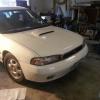
January 15, 201115 yr i have got everything on my 1988 Subaru GL-10 turbo wagon done, and i want to thank everyone who helped me when a popped a question that needed an answer. it runs absolutely terrific for my first boxer engine rebuild, and im extremely happy with its performance (which it seems most everyone takes for granted for what it is and when it was made, i sure dont) i love my Subaru, and i guess thats what guys on the Subaru commercials say makes a Subaru. you know, "Love, its what makes a Subaru, a Subaru." that. lol. thanks everyone. if anything ever happens with my car i will definitely ask you guys first. Edited January 15, 201115 yr by soobie_newbie67
January 15, 201115 yr I'm Glad to Know that your Subie is Runnin' like a Champ Now! ... "Love, its what makes a Subaur, a Subaru." ... ... ...
January 15, 201115 yr Author I'm Glad to Know that your Subie is Runnin' like a Champ Now! ... ... roflmao. fixed. and thank you.

Please sign in to comment
You will be able to leave a comment after signing in
Sign In Now