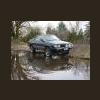
May 15, 201114 yr They either bought it like that and arent on the forum or they are on A FORUM because that looks like redrilled wheels and a monster lift kit... they have to know something about scoobs to have done that... I dont even know enough about scoobs to do that... id buy the kit from SJR and send boatloads of cash to GD to redrill my wheels and put my lift kit on... otherwise mine would fall apart. I must know who this is now.
May 15, 201114 yr You said your wife spotted this? I like the way her eye is trained! Kinda like mine!
May 16, 201114 yr I looks like its a 6" lift with about 30" tires... It looks like the wheels are aluminum (if so, more than likely it has a 6 lug conv. not smart to drill alum. wheels). Looks like its an 83 from the chromw rear bumper and the trim down the side. But it is nice and pretty big if I do say so myself.
May 17, 201114 yr I know this BRAT. It did belong to a guy out in Beaverton. He had it in the paint shop the same time I had my '81 BRAT. He bought a set of BRAT stripes from me and a couple other decals too. We did some horse trading for so other Subaru stuff too. He sold it about 6 months ago and the guy who bought it contacted me to install the BRAT decals, but I haven't heard from him since. It is a very clean BRAT, and I know the sale of the BRAT came with all the stuff to do an EJ22 swap. this is the big blue brat I been talking about!

Please sign in to comment
You will be able to leave a comment after signing in
Sign In Now