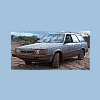
July 6, 201114 yr Ok, not sure where to put this thread, but I wanted to show y'all what I did to my Suby yesterday. I decked it out and drove it in a 4th of July parade! I think it came out pretty good and the spectators seemed to like it. Frogger-ru
July 6, 201114 yr EPIC but does anyone els see the irony of a japanees car in an indipendance day parade Nice shots Cheers R.
July 6, 201114 yr EPIC but does anyone els see the irony of a japanees car in an indipendance day parade Nice shots Cheers R. yeah, i also thought about how were were celebrating our country by shooting off fireworks made in china. ------------------------------------------- cool to see you made it in a parade!
July 6, 201114 yr yeah, i also thought about how were were celebrating our country by shooting off fireworks made in china. ------------------------------------------- cool to see you made it in a parade! Amen bro! ......Hypocrisy.... the real "Easy Button" I am down with irony tho .....LoL Edited July 6, 201114 yr by sosubeme omission
July 6, 201114 yr Author Cool mon! Fair size Shep in your rig, how old ? what does (s)he go? Isn't he cute? He's a year old and quite the handful sometimes. It's hard to see but I also have a golden retriever in the back. They got to ride in the parade. Frogger-ru

Please sign in to comment
You will be able to leave a comment after signing in
Sign In Now