January 8, 201214 yr To post a picture in a thread, you need it hosted online somewhere. So either the USMB gallery, some other sites gallery, or a picture hosting service. You've got that part down. Now, right click on the image where you have it hosted and select "copy image location". Then when you're writing the post, take a look at the formatting bar over the text box. The third icon from the right on the bottom row looks like a picture of mountains with a sun over them. Click on that and paste the image location into the popup window that opens. It will then insert your image into the text box where the cursor was. You will want to resize your pictures before you do this or they will come out huge.
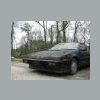
March 31, 201214 yr Author Hello I'm back on the XT project again. The parking brake wasn't the issue the first one was good the "rebuilt ones were defective" but the problem was the Hill-hold any Idea where I can get one? I bypassed it for now.

Please sign in to comment
You will be able to leave a comment after signing in
Sign In Now