March 7, 201214 yr runup the old 81 brat hasent run in over a year hit the key boom running tbi works good can sit for long periods and not gum carb had to tap sender unit to get return line gets very good mpg and little better power has anyone got a tbi to work on a 1.6 ea71 whould like to know was going to shorten a ea82 intake to fit i know the rest will work tierd of old carbs that are just plain worn out
March 7, 201214 yr From what I have read on here, Yeah, the EA71's intake ports are closer together. I'm not sure if the ports themselves are the same size as the EA81. I would assume the ditsy is physically the same between the ea71 and the ea81. Other than that, the rest of the SPFI (tbi) conversion should be the same as an early EA81. At least that's what I have read.
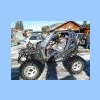
March 13, 201214 yr Author yup ea81 tbi but its the 1rst gen body has a 4 speed high low and i put rear disks on it had it for 12 years dam good truck only been tbi for 5 of them put a 100 amp alt on it to use it to jumpstart dead cars at my shop and do parts runs
March 13, 201214 yr Author my other brats are a 79 with a ea 71 and a 77 with a ea71 and a 84 with 2.5 turbo automatic i whant to tbi the old brats with the ea 71 but have to cut down ea82 manifoild to get right width bitt hard whant to keep the coolant jacket intact but i'm shure it will work its a tiny bitt lean on ea81 so ea71 should feul just right

Please sign in to comment
You will be able to leave a comment after signing in
Sign In Now