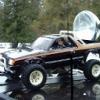
March 22, 200422 yr For those of you to young to know, it's an Elvis joke. Donald and company met us in Troy Montana and are in the process of returning east in the Traswagon. I wish I had a tape of it, it was like a really bad b movie. Anyway, it is no longer in my posscesion, and on it's way home to Butler. May they have a safe and lucky trip home.
March 23, 200422 yr The whole motly crew stopped by the temporary chez Smith in Kalispell before heading west to pick up the trashwagon. Staked them to whatever leftovers we could find in the fridge, beers for the passengers and Dew (the official Montana state pop) for the designated driver. I reckon we'll end up on the cutting room floor, unless they want a geezer counterpoint in the video.
March 23, 200422 yr They should be in michigan on the next weekend, and hopefully i'll have the car running by then to meet them, good luck you guys, get that wagon to its home.

Please sign in to comment
You will be able to leave a comment after signing in
Sign In Now