Skip to content
View in the app

A better way to browse. Learn more.

Ultimate Subaru Message Board

A full-screen app on your home screen with push notifications, badges and more.

To install this app on iOS and iPadOS
  1. Tap the Share icon in Safari
  2. Scroll the menu and tap Add to Home Screen.
  3. Tap Add in the top-right corner.
To install this app on Android
  1. Tap the 3-dot menu (⋮) in the top-right corner of the browser.
  2. Tap Add to Home screen or Install app.
  3. Confirm by tapping Install.

Looking for Mirrors for 82 Brat

Featured Replies

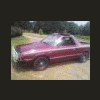
Hello all I am a new member. I Just bought a 82 brat GL and it needs mirrors in really good condition if anyone knows of any let me know. Thanks alot. Oh and it needs wheels painted they are just the white ones does anyone know the color that they were painted...scared of painting them just bright white. Dan

Puics of the wheels will definitely help us!


And welcome to the forum!

  • Author

well on the wheels I decided to paint them gray to match the stripe down side....so all I need are 2 mirrors for doors in great condition. This Brat also has the center headlight and it has the switch inside for it but it is not hooked up..does anyone know about the means of hookup? thanks Dan

We have a Wanted forum too , as well as about six thousand other forums. :lol:

Cheers!

  • Author

heard that brother. It blows my mind how mucho is on here...I am very not a computer man so I put it where I can. Ha

Please sign in to comment

You will be able to leave a comment after signing in

Sign In Now

Account

Navigation

Search

Search

Configure browser push notifications

Chrome (Android)
  1. Tap the lock icon next to the address bar.
  2. Tap Permissions → Notifications.
  3. Adjust your preference.
Chrome (Desktop)
  1. Click the padlock icon in the address bar.
  2. Select Site settings.
  3. Find Notifications and adjust your preference.