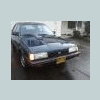
February 4, 201313 yr Anybody wanna come out to Hillsboro and poke around Ned and see if we cant get him running right? He wont stay running after more than a few moments... Its like hes burning the fuel off that he gets from cranking but not continuing to get fuel afterwards... Heres a video of it - Dies after 2:10 if you wanna just skip to it
February 5, 201313 yr Fuel filter badly plugged maybe? That or some sort of strange fuel pump issue. I'd try those two things in order.
February 5, 201313 yr Author Yea the fuel filter is gonna get replaced shortly. Hoping that solves the issue.
February 6, 201313 yr I can come tinker with ya this weekend if ya want Unless my weber gets here then I need hands on my brat lol
February 6, 201313 yr Author I did get to drive him today! No problems... I mean, the one vac line was undone when I got to work, so when I started him he was idling rough... like V8 shaking ahahaha. Still nervous :-\ I dont wanna drop the issue but now I must wait til the symptoms come back.

Please sign in to comment
You will be able to leave a comment after signing in
Sign In Now