March 28, 201313 yr Can someone please email me the ea/ej write up, or send me a WORKING link. Thanks guys dudesmccool69@gmail.com
March 28, 201313 yr I have a hard copy and I might be able to find a digital copy, but I will have to let you know tomorrow
March 28, 201313 yr There are good links posted in numerous places around the site, have a look around, you'll find it.
March 28, 201313 yr Hey just emailed it to ya! Was t sure if you already got it, but it's always nice to have another copy! Haha. Good luck! -Prwa
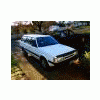
March 29, 201313 yr just picked upp running driving ea to ej loyal lifted... im gonna gut it.. the wiring that was done looks like some tweaker went crazy with tappe and zipp ties... could i get that write up as well.. i have a gl10 i may just drop it all in due to trbo models being hardd to find engine parts for. it would be awsome thanks

Please sign in to comment
You will be able to leave a comment after signing in
Sign In Now