Skip to content
View in the app

A better way to browse. Learn more.

Ultimate Subaru Message Board

A full-screen app on your home screen with push notifications, badges and more.

To install this app on iOS and iPadOS
  1. Tap the Share icon in Safari
  2. Scroll the menu and tap Add to Home Screen.
  3. Tap Add in the top-right corner.
To install this app on Android
  1. Tap the 3-dot menu (⋮) in the top-right corner of the browser.
  2. Tap Add to Home screen or Install app.
  3. Confirm by tapping Install.

Our newest Subaru (legacy L wagon)

Featured Replies

post-33860-0-33886600-1367448875_thumb.jpgpost-33860-0-13553400-1367448836_thumb.jpg


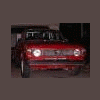
Also pictured is Nick W's new 86 brat GL.  I am sure he will be loggin on soon enough. 


1995 Subaru Legacy L  FWD only 200k miles.  Nicest driving car i have ever owned.  Has all the bells and whistles and they all work.  GOOOOO SUBARU  go go go go till i got 600k miles

  • 3 weeks later...

They do last forever almost. 260,XXX on mine and nothing is wrong with it engine wise. Nice ride, sir.
Please sign in to comment

You will be able to leave a comment after signing in

Sign In Now

Account

Navigation

Search

Search

Configure browser push notifications

Chrome (Android)
  1. Tap the lock icon next to the address bar.
  2. Tap Permissions → Notifications.
  3. Adjust your preference.
Chrome (Desktop)
  1. Click the padlock icon in the address bar.
  2. Select Site settings.
  3. Find Notifications and adjust your preference.