May 19, 201312 yr Nice going! Where'd you find that? It's pretty mint for a 70s NZ Subaru. Is it from Central?
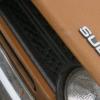
May 20, 201312 yr Author Yeah thanks guys. I'm really happy with it! I have inherited it in a weird sort of way... It was bought new by my great uncle and his wife in Invercargill, New Zealand in 1978 and was owned by them all it's life. It was in my cousin's garage for 9 years after great uncle passed on, until last week when we serviced it and put some new tyres on and drove it. So no, not a central car KiwiGL. It looks great and is a ball of fun to drive. Few rusty bits here and there that I will tidy up over the next weeks or two and also have a freshly rebuilt EA71 to drop in next weekend to fix the oil/water issues it has. Only 102,000km travelled since new. I'll make it look a little tidier and do the transplant and do a bit of touring about I think!
May 20, 201312 yr Good plan. Sounds like a fairly solid car, and it sure has a bit of history with your family. 102,000km is nothing! It's great to see someone finally taking care of an old Subaru in NZ; nobody here seems to remember anything before the Legacy, or at least the third-gen Leone/Omega. If only I wasn't a broke student...

Please sign in to comment
You will be able to leave a comment after signing in
Sign In Now