Skip to content
View in the app

A better way to browse. Learn more.

Ultimate Subaru Message Board

A full-screen app on your home screen with push notifications, badges and more.

To install this app on iOS and iPadOS
  1. Tap the Share icon in Safari
  2. Scroll the menu and tap Add to Home Screen.
  3. Tap Add in the top-right corner.
To install this app on Android
  1. Tap the 3-dot menu (⋮) in the top-right corner of the browser.
  2. Tap Add to Home screen or Install app.
  3. Confirm by tapping Install.

import classic meet Vegas

Featured Replies

I'm not sure that this is.... Toyota? How many cars where there? 

  • 5 weeks later...

nice corrola and im loving the ae 86

  • Author

they look like 75-78 corollas. there were three of them. the celicas were cool too.

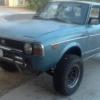
when i decided to get something small and park my 62 chev stepside guzzler i was looking for an early datsun truck, 510 or old corolla to fix up when i came across my 78 brat on craigslist.post-49100-0-38109200-1380002340_thumb.jpg

as soon as i saw the engine bay and the tiny boxer engine inside i was in love...wifey gave me the stink eye and we fought a couple of days until she gave in...when i was done painting it i could not go anywhere without her calling shot-gun.post-49100-0-37976400-1380002382_thumb.jpg

Please sign in to comment

You will be able to leave a comment after signing in

Sign In Now

Account

Navigation

Search

Search

Configure browser push notifications

Chrome (Android)
  1. Tap the lock icon next to the address bar.
  2. Tap Permissions → Notifications.
  3. Adjust your preference.
Chrome (Desktop)
  1. Click the padlock icon in the address bar.
  2. Select Site settings.
  3. Find Notifications and adjust your preference.