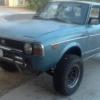
October 23, 201411 yr been a while but hello to all. some idiot got road rage and brake checked me at an intersection because apparently noone is supposed to get in his lane in his world on his street in his city so he jumped in front of me and slammed em...you know the rest! ruined my park bench bumper and crunched the panel under the grill. got it all back in shape with a come along, 3 pound sledge and my RV trailer hitch. I still cant post pics but built a bush guard and looks even better now...still miss the park bench tho! anyone gotta tip on how to get more disc space so i can post new pics?
October 23, 201411 yr I've been using a site called Tinypic to upload pics and it's been great so far. I use my phone for the site though so i don't know how it will work with a regular desk top comp, i can't imagine it being much different. Might want to check that out. Sorry about the idiot, i had a guy do that to me once but i never did hit him. He lived right by me and i'd see him all the time and he used to tailgate people all the time.
October 29, 201411 yr Author thanks for the hookup sarge bu i already built one and shes wearing it proudly.

Please sign in to comment
You will be able to leave a comment after signing in
Sign In Now